

Construction scheduling and resource management
The most powerful construction scheduler. Drag, drop, done.
ControlBoard® puts your labor, crews, equipment, subcontractors and material for every job on one drag-and-drop board. Change who is on a crew in seconds, on any job, on any day. Everyone in the office sees it live, and the field is told at once.
Watch the film 1:50Works with QuickBooks, Sage, Procore and more, including your accounting system. Published prices from $4 a person a month.
The film
The same Monday, before and after ControlBoard
River Road Civil starts the week on a whiteboard and a phone tree. Three weeks later, the same Monday runs on one board.
See the board
Three ways to see the same schedule
Schedule by job, by person or by crew. Drag on any of them and the other two follow.
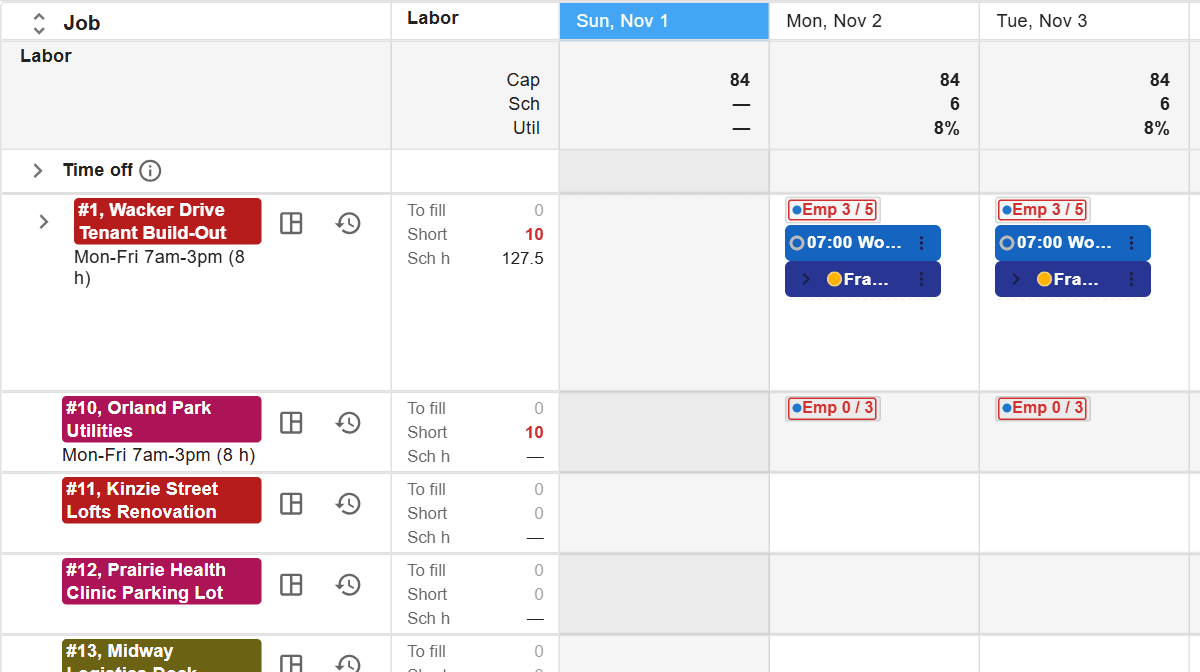
Each job's needs and scheduled hours day by day. Drag people, crews and machines from the list onto the days a job needs them.
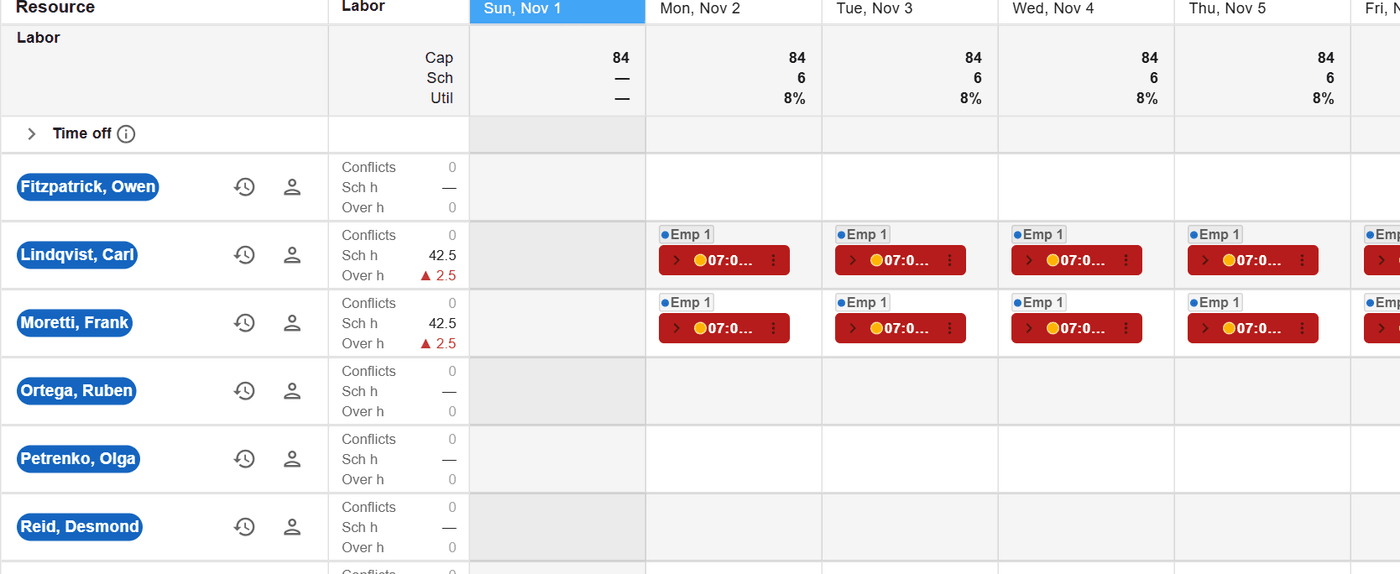
Everyone down the side, the job they are on each day across the week, and anyone free, off or scheduled twice at a glance.
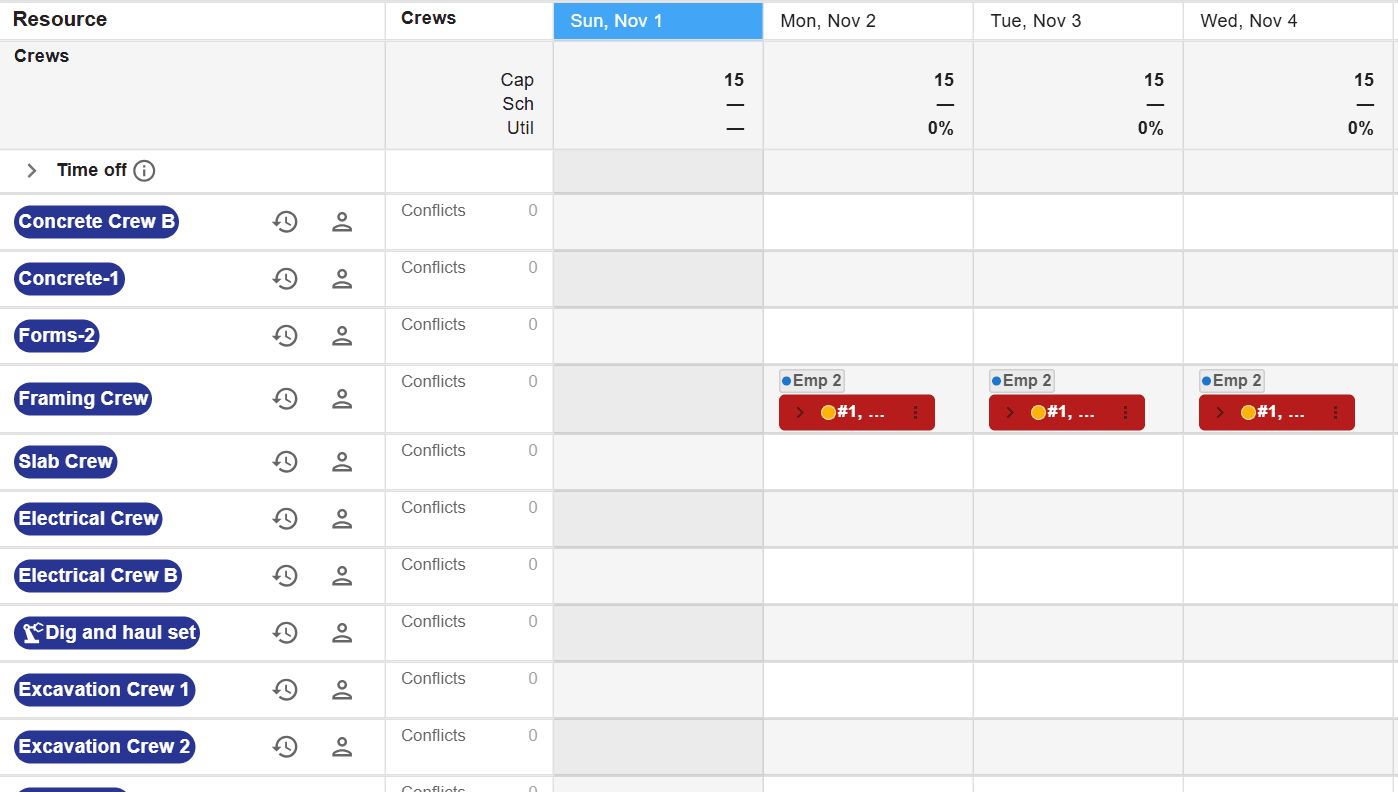
Each crew down the side and the jobs it works across the week. Drag a crew onto a job, slide it a day, or hand a day to another crew.
Daily crew changes
Change a crew's members in seconds, on any job, on any day
Someone is out, a job needs an extra hand, an operator moves to the other site. Open the crew on that job's day and drag the change in. The rest of the crew's week stays as it was.
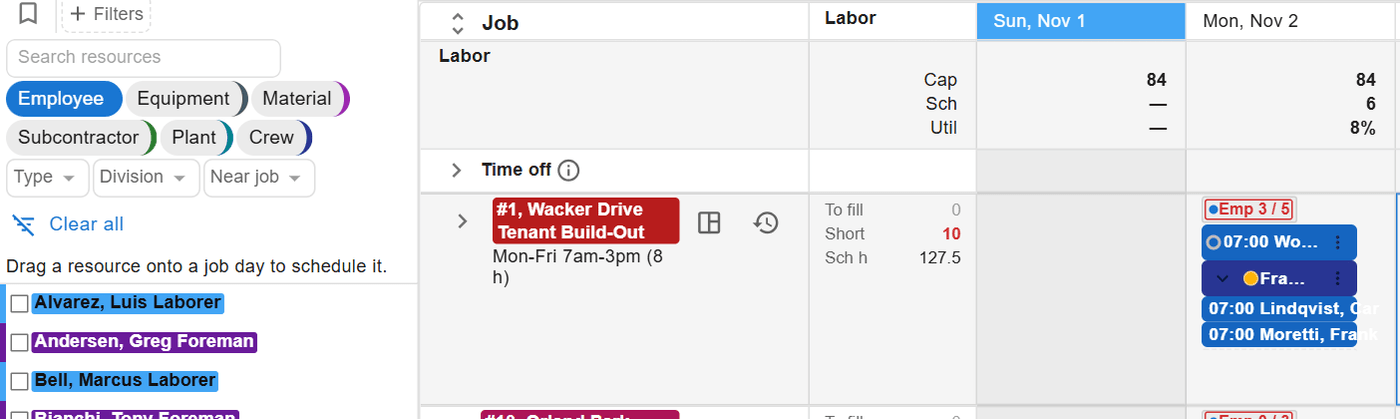
Open the crew on the day
Each crew placement opens to the people on it that day, right on the job schedule.
Swap, add or hand off
Drag a person in to swap a member or add a helper for that day, or drop the day on another crew.
Everyone knows
Conflicts show at once, every scheduler sees the change live, and one send tells the people affected.
Powerful and easy
The power of a dispatch office, the ease of a whiteboard
ControlBoard schedules the way contractors think: this person and that machine, on this job, on this day.
Easy for non-technical users
If you have run a whiteboard, you can run ControlBoard. Drag a person, crew or machine onto a job's day.
Multi-user and live
Every scheduler, project manager and dispatcher works on the same board at once, and each change shows for everyone as it is made.
Plan months ahead
Place needs and placeholders on future work, see capacity by trade, and fill them with names when you know who.
Labor, equipment and more
People, crews, machines, rentals, subcontractors and material on one board, with conflicts and qualifications checked as you drop.
Heavy civil, paving, utility, electrical and specialty contractors schedule on ControlBoard


Who it is for
One board for the office, the yard and the field
Schedulers and dispatchers
Labor and equipment on one board, and service calls by the hour. Conflicts show before anyone rolls, and the field hears about a change in seconds.
Scheduling and dispatchProject managers
Each job's open needs, forecast hours and cost to date in one place, so you see the overrun while there is time to act.
Labor planning and job costControllers and payroll
Hours come from the schedule and the field, are approved once, and go to payroll and your accounting system without retyping.
Time and payrollDispatch and the field
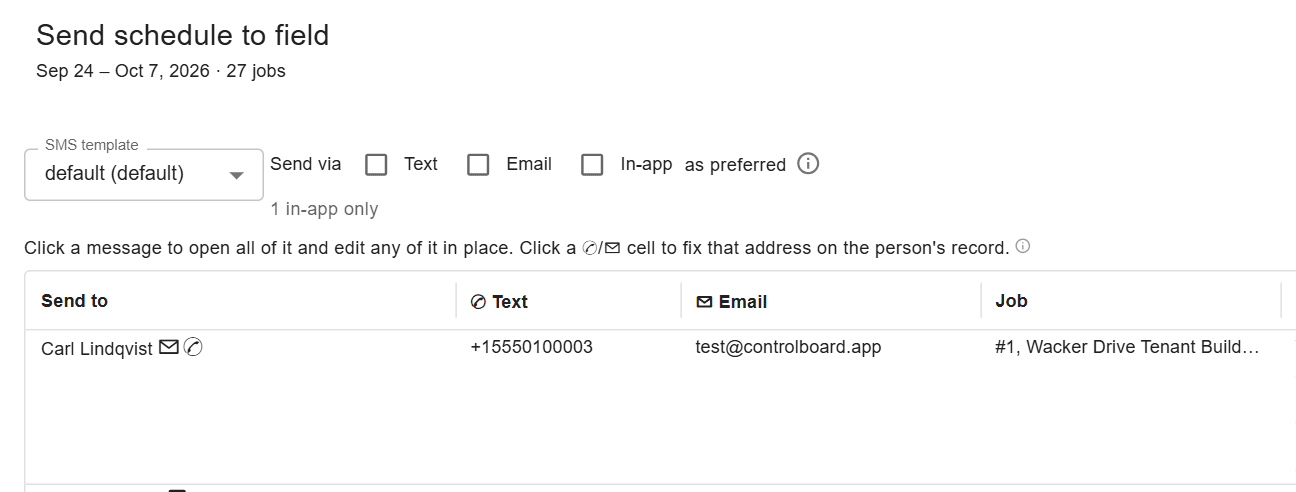
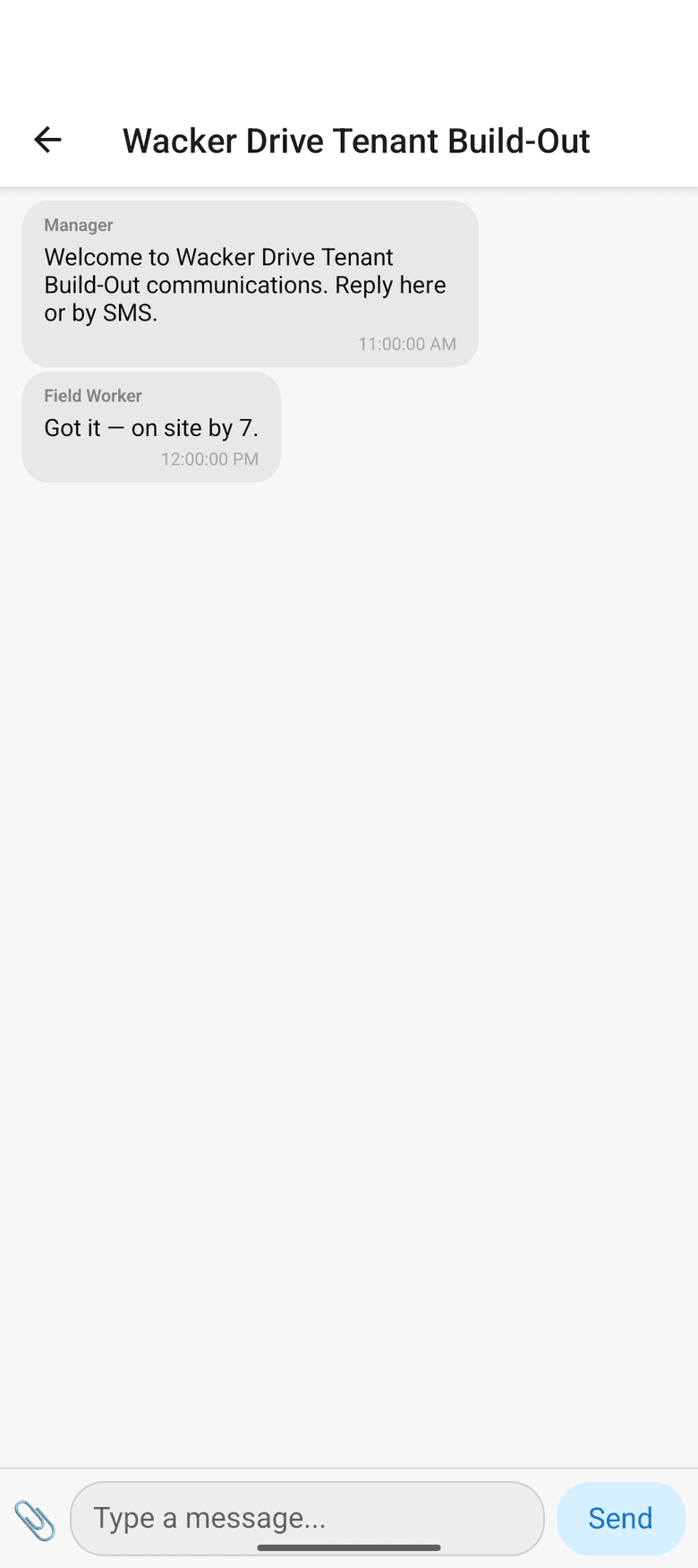
Tell the field once. Hear back on the same thread.
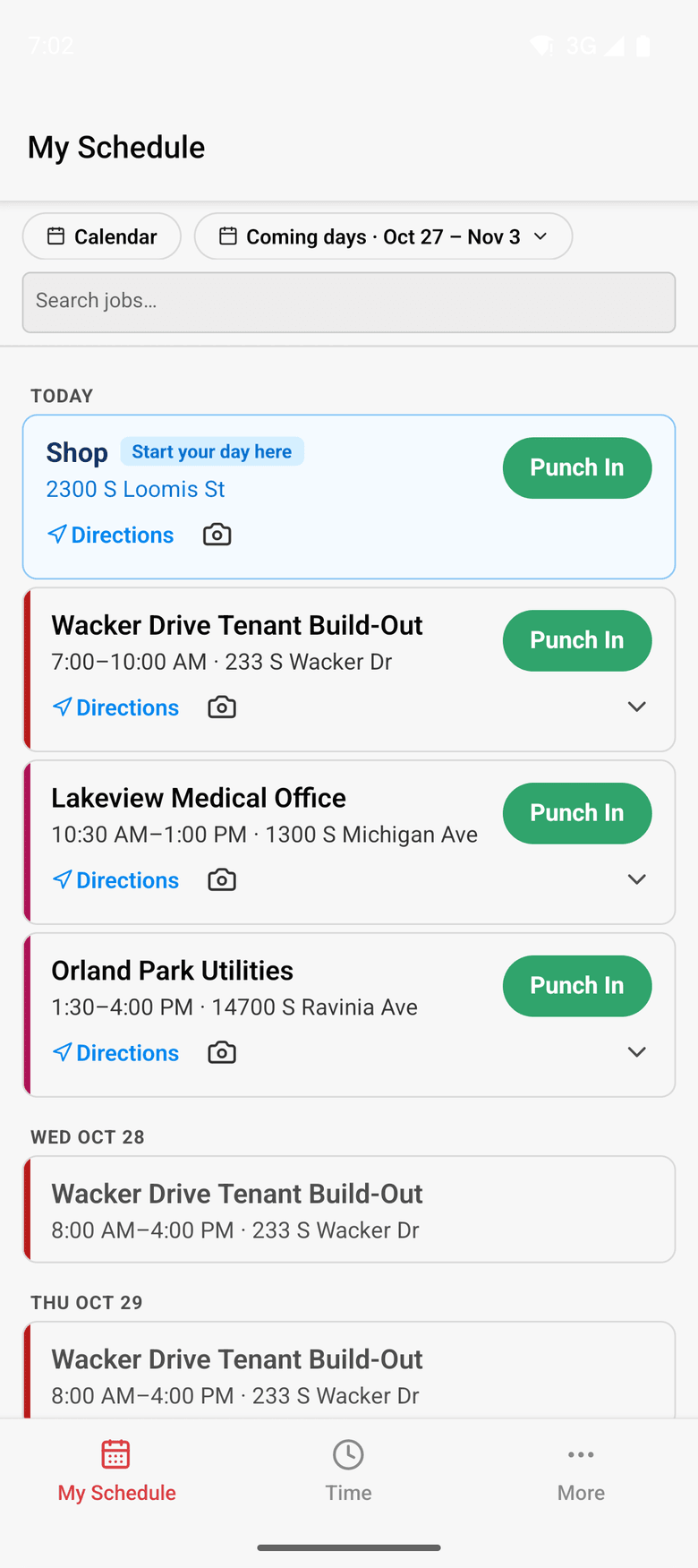
- Send the day's assignments by text, email or the app, with the address and directions.
- Replies land on the job's thread, where the office and the foreman both read them.
- ControlBoard Field works without a signal and catches up when the phone is back online.
Time to payroll
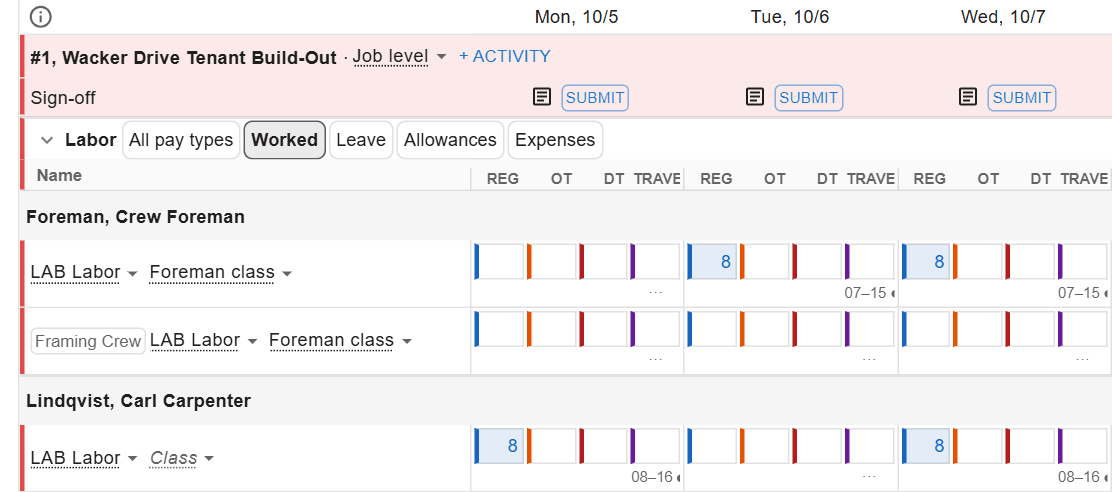
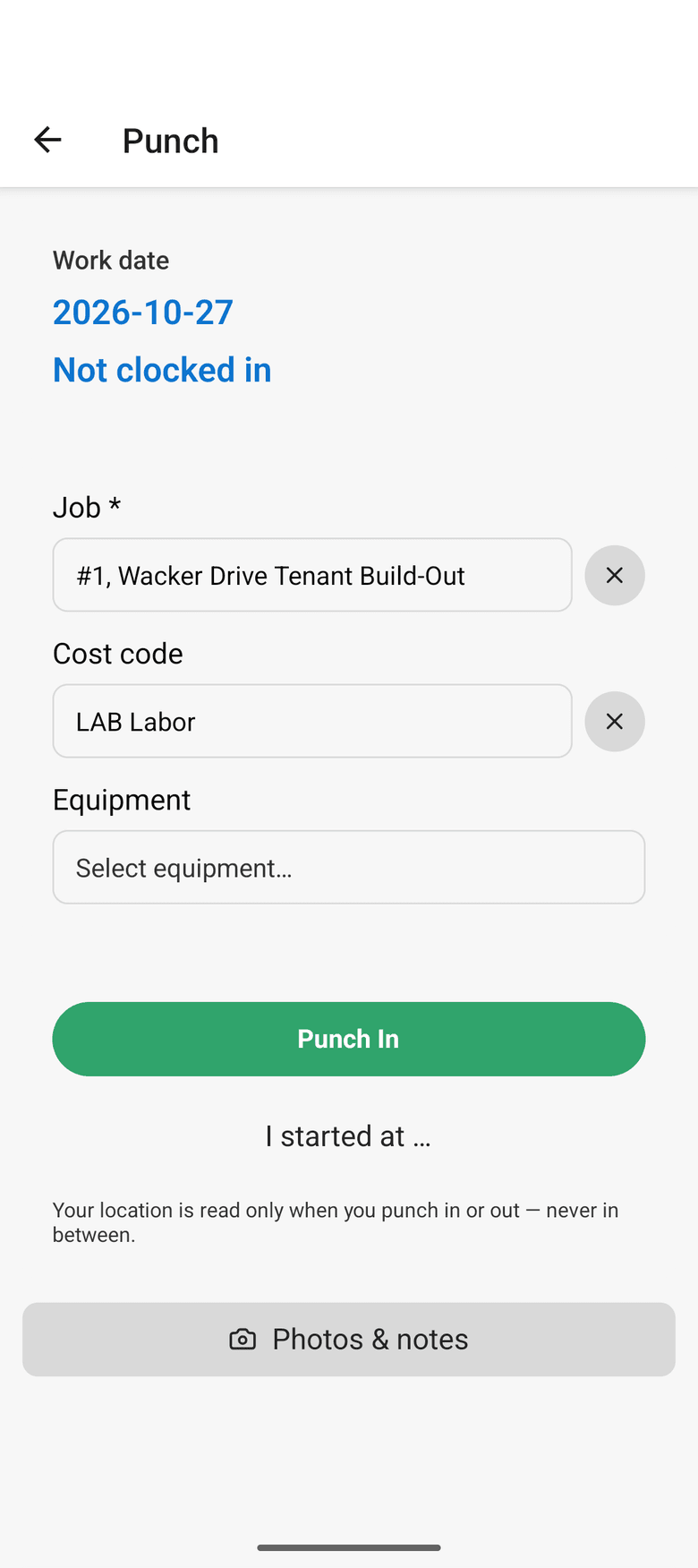
From the punch to the payroll file, typed once
- Workers punch on the phone, or the foreman keeps the crew's sheet.
- The office reviews the week, approves it and locks it.
- Approved hours go to payroll and to your accounting system, by job and cost code.
Job cost and the forecast
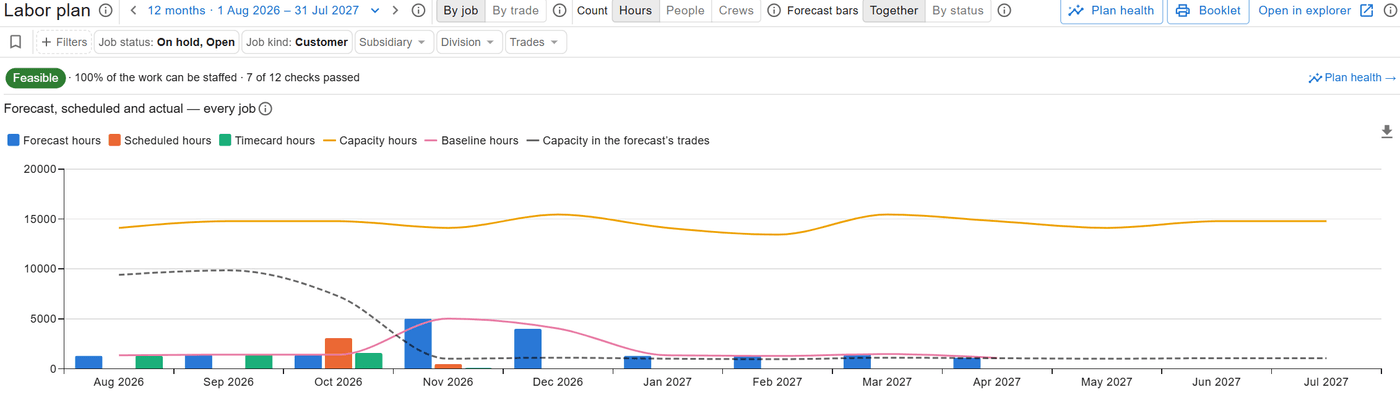
Know the final cost before the month closes
- Budget, cost to date, cost to complete and projected final by cost code.
- The labor plan sets forecast heads against the people you have, months ahead, and says when to hire.
- Your accounting system's balances and ControlBoard's hours meet in one view.
How it fits
Your ledger stays put. Everything else stays in step.
ControlBoard® reads jobs, cost codes, people and equipment from the systems you already own, runs the work, and sends approved hours back.
Industries
Built for the trades that schedule labor and equipment every day
The board speaks your trade: plants and tons for paving, certifications for electrical, rentals and moves for heavy civil, service calls by the hour for service companies.
Heavy civil
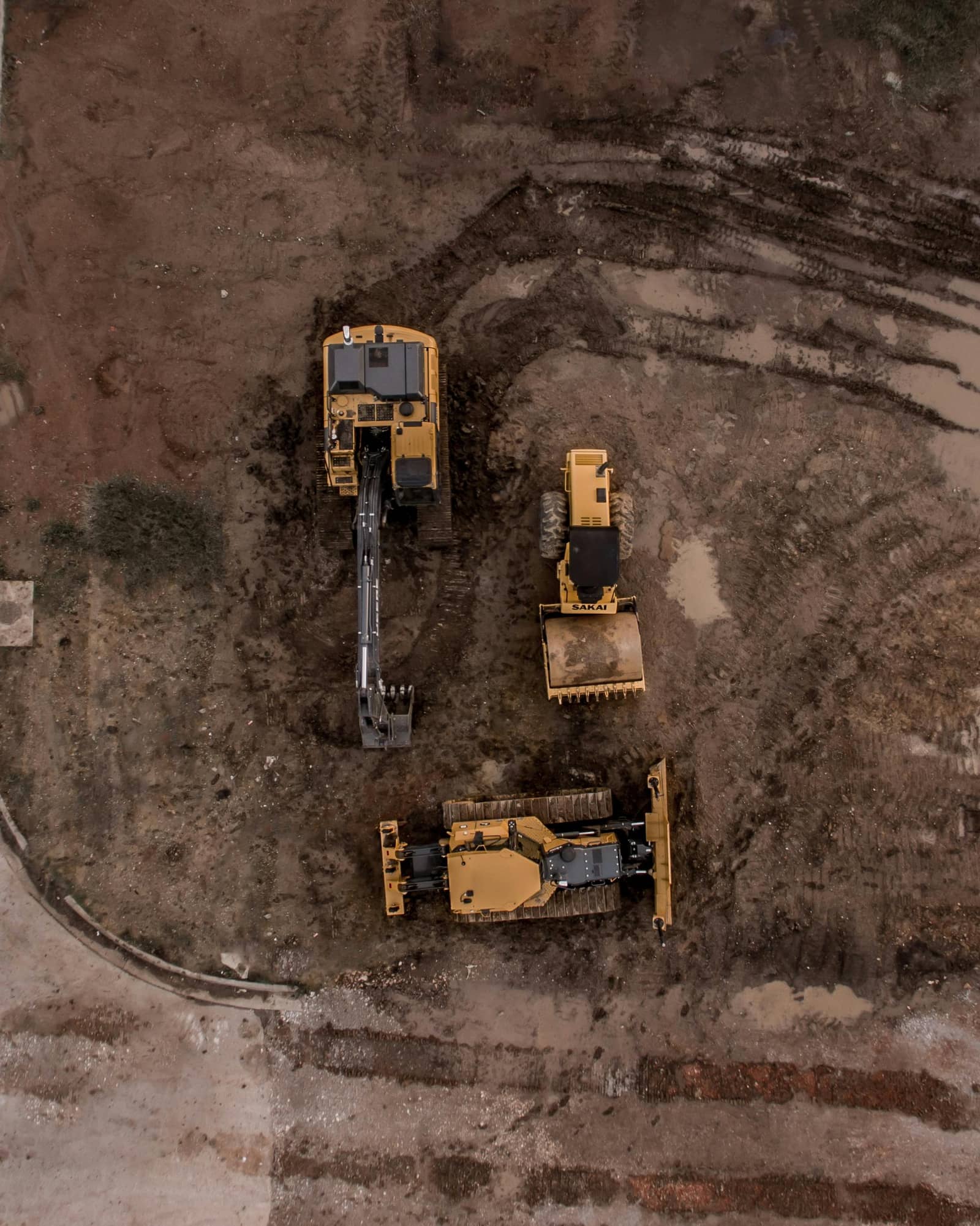
Crews, machines, rentals and moves on one board, with time and cost from the same schedule.
See how
Paving and asphalt
Crews, pavers, plants and trucks on one board; each mix priced per ton; tons in the daily log.
See how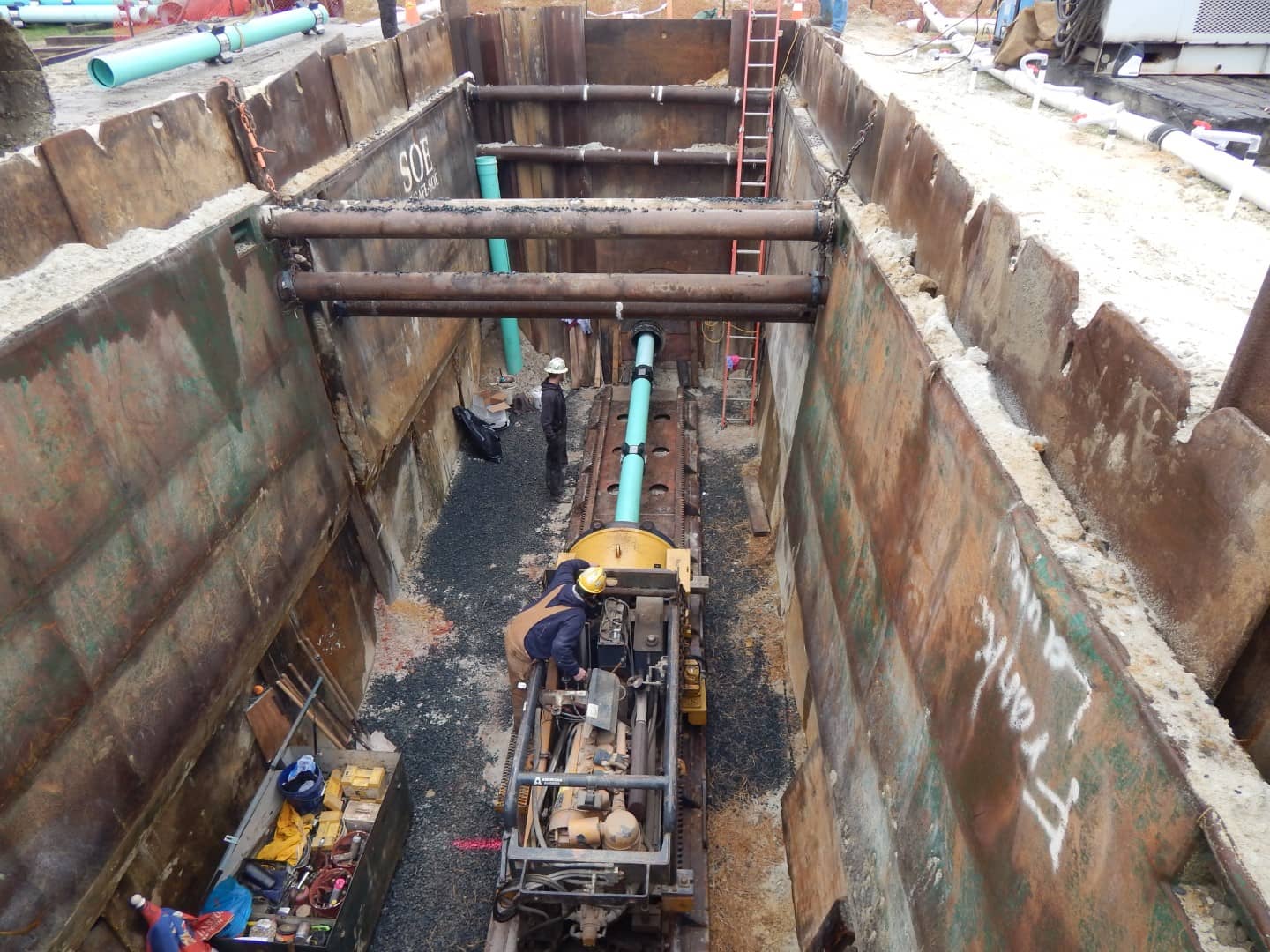
Utilities
Spread-out crews, rigs and certifications on one board, with tailboards and time from the phone.
See how
Service companies
Mechanical, electrical, plumbing and other service companies: tickets, dispatch by the hour, the tech's phone.
See how
Electrical contractors
Many small jobs and service calls, with licences checked against every booking.
See how
Mechanical contractors
Trades, crews, tools and lifts on one board, with the labor forecast and RFIs on the same job.
See how
Concrete and site work
Finishers, pumps, trucks and rented forms on one board; weather and delays on the record.
See how
Specialty contractors
Fencing, drywall, events, environmental and telecom: people, trucks and gear in the right place.
See howIntegrations
Works with the systems you already run
Accounting and ERP, payroll and HR, estimating, project management, equipment GPS, calendars and CRM. Your accounting system stays the system of record. Do not see yours? Ask us.
Accounting and ERP
Equipment telematics and GPS
Payroll and HR
Estimating and field time
Project management
Calendars
CRM
Sign-in, import and API
Pricing
Published prices, per person, by what they do
Every construction scheduling competitor we know of is quote-only. ControlBoard publishes its prices, and you pay only for the people who use each part.
See the price listScheduler
Builds and changes the schedule
$110 a person a month
Office
Accounting and job managers; approves time
$55 a person a month
Mobile
Field app: own schedule, directions, messages
$4 a person a month
Field
Mobile, plus own time and time for the people they lead
$14 a person a month
Customers
What contractors say
“Efficient, Intuitive, and Well-Supported—ControlBoard Delivers”
With ControlBoard, resources can be scheduled easily, and complex labor forecasts can be prepared, ensuring we run efficiently without hiccups or guessing.
Tomas Z, VP of OperationsPihl ExcavatingCapterra review, 05/23/2025
“Tracking and Scheduling Jobs and Employees with ControlBoard”
Overall the experience with ControlBoard has been great. We get excellent support when needed and it meets all of our scheduling needs. ControlBoard made it easy to import jobs from Sage 100 Contractor and assign employees to work on those jobs.
Chris M, VPO'Leary Asphalt Inc.Capterra review, 03/07/2022
“ControlBoard helps to enable further growth.”
Construction Crew Scheduling is much different than construction project scheduling. Control board offers a product that really doesn't exist anywhere else in the market. It's a super powerful tool able to forecast labor and equipment needs. You can really see your "pinch points". Self performing construction companies can only grow as big as they can manage their resources.
John B, PRESIDENTWickman Construction and Real EstateCapterra review, 09/09/2024